
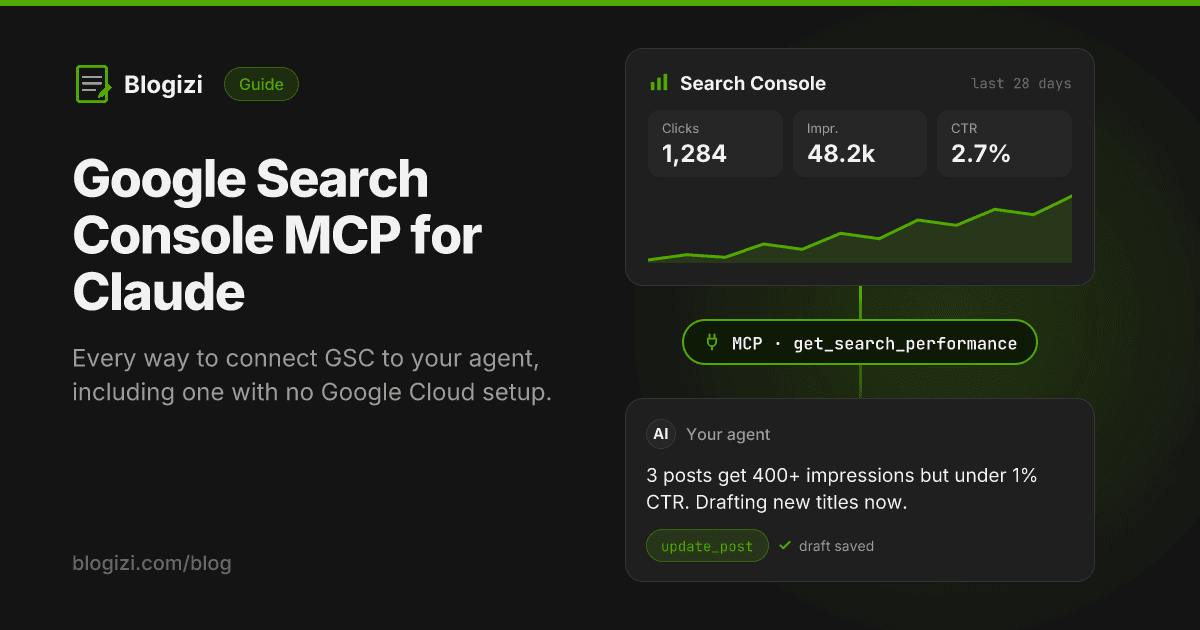
A Google Search Console MCP server lets an AI agent like Claude read your Search Console data (clicks, impressions, CTR, average position, top queries and pages) through tool calls instead of you exporting CSVs. Google doesn't publish an official one. You choose between open-source servers you run yourself, hosted connectors, and tools like Blogizi that include Search Console data alongside publishing.
This guide compares the options, shows the setup for each type, and covers what to ask your agent once it's connected.
What a Search Console MCP does
The Model Context Protocol (MCP) is the standard way AI agents call external tools. A Search Console MCP server wraps Google's Search Console API in tools like "get search analytics" or "inspect URL", so you can ask questions in plain language:
- "Which pages got the most impressions last month but almost no clicks?"
- "What queries do we rank 8–20 for?"
- "Did traffic to the pricing page drop after last week's deploy?"
The agent calls the tool, gets JSON back, and does the analysis. You skip the console, the filters and the CSV export.
Your options at a glance
| Option | Setup | Runs | Data depth | Can act on the data |
|---|---|---|---|---|
Open-source server (e.g. mcp-gsc, mcp-server-gsc) | Google Cloud project, API enabled, OAuth client or service account | Locally (uvx, npx, binary) | Full Search Analytics API, often URL Inspection | Read only (some submit sitemaps or URLs for indexing) |
| Hosted connector (e.g. Windsor.ai, Composio) | Sign up, connect Google in the browser | Their cloud | Varies, often no URL Inspection | Read only |
| Blogizi | Connect Google once in the dashboard | Hosted at blogizi.com/api/mcp | Totals plus top 25 queries and pages, 7/28/90 days, synced daily | Yes: the same server drafts, updates and publishes blog posts |
There's no single best one. It depends on whether you need every row of data or a working loop from "this post is underperforming" to "here's the rewrite".
Option 1: Self-hosted open-source servers
The servers that rank at the top of GitHub, such as AminForou/mcp-gsc, ahonn/mcp-server-gsc and Suganthan Mohanadasan's GSC MCP, follow the same pattern: you create the Google credentials, and the server runs on your machine.
Setup steps
- Create a Google Cloud project and enable the Google Search Console API.
- Pick an auth method:
- OAuth desktop client. Configure the OAuth consent screen, create a Desktop app client and download the client secrets JSON. The first run opens a browser sign-in.
- Service account. Create one, download its JSON key, then add the service account's email as a user on your Search Console property.
- Install the server with whatever it uses (
uvx,pip,npxor a binary). - Add it to your MCP client. For Claude Desktop, that's an entry in
claude_desktop_config.jsonwith the command, absolute paths and env vars such as the credentials path and your property (sc-domain:example.comfor domain properties). - Restart the client and check the tools appear.
Where it goes wrong
- Empty property list. The Google account you authorized, or the service account, isn't a user on the property.
- 403 errors. The API isn't enabled in the Cloud project, or the scope is wrong.
- Property format. Domain properties need the
sc-domain:prefix. URL-prefix properties need the exact URL with trailing slash. - Paths. Claude Desktop won't find
uvxornpxunless the path is absolute or on its PATH.
When to choose it
You want everything the API offers: all rows (up to 25,000 per request), filters by country, device and search appearance, query-by-page breakdowns, and often URL Inspection. It's free apart from your time, and it's the right choice for SEO audits across many sites.
Option 2: Hosted connectors
Data platforms like Windsor.ai and integration platforms like Composio offer Search Console as a hosted MCP connector. You sign in, authorize Google in the browser, and get a remote MCP URL to add to your client. There's no Cloud project and no local process.
The trade-off is depth and cost: the tool set is whatever the platform exposes, URL Inspection is often missing, and they're usually paid once you go past a trial. They suit marketers who want Search Console data in Claude alongside other sources like GA4 or ad platforms.
Option 3: Blogizi
Blogizi is a hosted blog for AI agents. Its MCP server already lets agents draft, update and publish posts. With Search Console connected, the same server gets a get_search_performance tool, so the agent can see how posts perform and fix them in the same session.
Setup
- In the Blogizi dashboard, go to Account and click Connect Google. Blogizi asks for read-only Search Console access. There's no Cloud project, consent screen or JSON key to manage.
- In your project's Search tab, bind a property. Blogizi suggests the URL your blog is served from. You can also pick a domain property (
sc-domain:yourapp.com) if your blog lives atyourapp.com/blog. - Add the Blogizi MCP server to your client with your account API key:
{
  "mcpServers": {
    "blogizi": {
      "url": "https://blogizi.com/api/mcp",
      "headers": { "Authorization": "Bearer YOUR_ACCOUNT_API_KEY" }
    }
  }
}
In Claude Code:
claude mcp add --transport http blogizi https://blogizi.com/api/mcp \
  --header "Authorization: Bearer YOUR_ACCOUNT_API_KEY"
Because it's a remote server, it also works in agents that can't run local processes, like Claude Cowork or cloud-hosted agents.
What the tool returns
get_search_performance takes an optional days (7, 28 or 90) and projectSlug, and returns:
{
  "property": "sc-domain:yourapp.com",
  "range": { "startDate": "2026-09-08", "endDate": "2026-10-05", "days": 28 },
  "lastSyncedAt": "2026-10-09T06:00:12.000Z",
  "totals": { "clicks": 41, "impressions": 2210, "ctr": 0.0186, "position": 24.7 },
  "queries": [
    { "keys": ["what is yaml frontmatter"], "clicks": 3, "impressions": 96, "ctr": 0.031, "position": 9.4 }
  ],
  "pages": [
    { "keys": ["https://yourapp.com/blog/yaml-frontmatter-explained"], "clicks": 5, "impressions": 423, "ctr": 0.0118, "position": 10.3 }
  ]
}
Limits, honestly
- Data is cached. Blogizi syncs once a day, and Google's data lags 2–3 days anyway.
- You get the top 25 queries and top 25 pages per range, not every row.
- No URL Inspection, indexing requests or country and device filters.
If you need those, use an open-source server. Blogizi is for the content loop on your own blog: read what's underperforming, rewrite it, publish it.
What to ask your agent once it's connected
These prompts work with any of the servers above. Adjust the tool name to whatever yours exposes.
Find titles that need rewriting
Get search performance for the last 28 days. List pages with more than 200 impressions and CTR under 1%. For each, suggest a new title and meta description that matches the top query better.
Find posts close to page one
Which queries do we rank between position 8 and 20 for? For each, which existing page should rank for it, and what section is missing from that page?
Spot new demand
Compare the last 7 days with the last 28 days. Which queries are new or growing fastest? Do we have a post for each?
Check a recent change
We updated /blog/pricing-guide on October 1. How have its clicks and position moved since?
Close the loop (Blogizi)
Rewrite the title and description for the top candidate and save it with update_post as a draft.
One habit that helps whatever server you use: ask the agent to show the raw numbers it's basing a claim on. Models occasionally summarize "position 8" as "ranking on page one".
Which one should you use?
- You're an SEO doing audits across many sites: an open-source server like
mcp-gsc. You get full API depth and URL Inspection, and it's free. - You want GSC next to GA4, ads and other sources in one connector: a hosted data connector.
- You run a product blog and want your agent to read performance and ship the fix: Blogizi. One OAuth click, the same MCP server you publish with, drafts by default. See the Search Console setup docs or the
get_search_performancedocs.
FAQ
Is there an official Google Search Console MCP server? No. As of October 2026, Google hasn't released a first-party Search Console MCP server. All the options wrap the public Search Console API.
Do I need a Google Cloud project? For self-hosted servers, yes: you create the OAuth client or service account yourself. Hosted connectors and Blogizi handle the Google app for you, and you only approve access.
Is it safe to give an agent my Search Console data?
Use read-only access. Blogizi requests the webmasters.readonly scope only. For self-hosted servers, a service account with restricted permission on one property limits what the agent can reach.
Can Claude submit URLs for indexing through MCP? Some open-source servers include URL submission and sitemap tools. Blogizi doesn't. Google's Indexing API is officially limited to job posting and livestream pages, so treat "submit for indexing" tools with caution.
Does it work with ChatGPT or Cursor? Any client that supports MCP works. Remote servers like Blogizi's need a client that supports remote (HTTP) MCP servers with an auth header.