

SaaS content marketing is creating and distributing useful content that helps the right people discover, evaluate, and use your software. For a solo founder, the hard part is choosing work that deserves time alongside product development, support, and sales.
A blog can answer buying questions, demonstrate a useful workflow, and help an interested reader take the next step. Publishing more articles does not establish that those articles attract suitable customers or explain why your product fits.
Start with one customer problem, a small group of connected articles, and a way to distinguish search visibility from product interest. The plan below gives you a topic filter, a worked example using published Blogizi articles, and a production routine you can adapt to your available time.
TL;DR
- Choose a specific customer and the problem they are trying to solve before building a keyword list.
- Prioritize questions where your product can make a relevant, demonstrable contribution.
- Combine practical tutorials, evaluation content, and supporting education around a shared customer task.
- Give each article a useful next step and measure completed signups separately from pageviews and CTA clicks.
- Start with a small, repeatable production cycle; use actual reader and product signals to decide what to improve next.
A practical SaaS content marketing plan
Use this sequence to turn one customer problem into an article you can produce, distribute, and evaluate.
| Decision | What to write down | Done when |
|---|---|---|
| Customer | One role, situation, and relevant constraint | You can describe whom the article helps |
| Problem | The task, objection, or decision blocking progress | The question is specific enough to answer |
| Topic | Query, search intent, existing coverage, and product connection | You know why this page belongs on your site |
| Contribution | A demonstration, example, template, or explanation | The reader gets something beyond a summary |
| Next step | A task, related resource, product workflow, or trial | It follows naturally from the article |
| Measurement | Discovery, product interest, signup, and activation signals | You can distinguish each action |
| Production | Research, brief, draft, review, distribution, and follow-up | The work fits your available capacity |
Your first output can be one completed article brief and a shortlist of related questions. A large spreadsheet is optional; clear decisions are essential.
1. Choose a customer problem your product can address
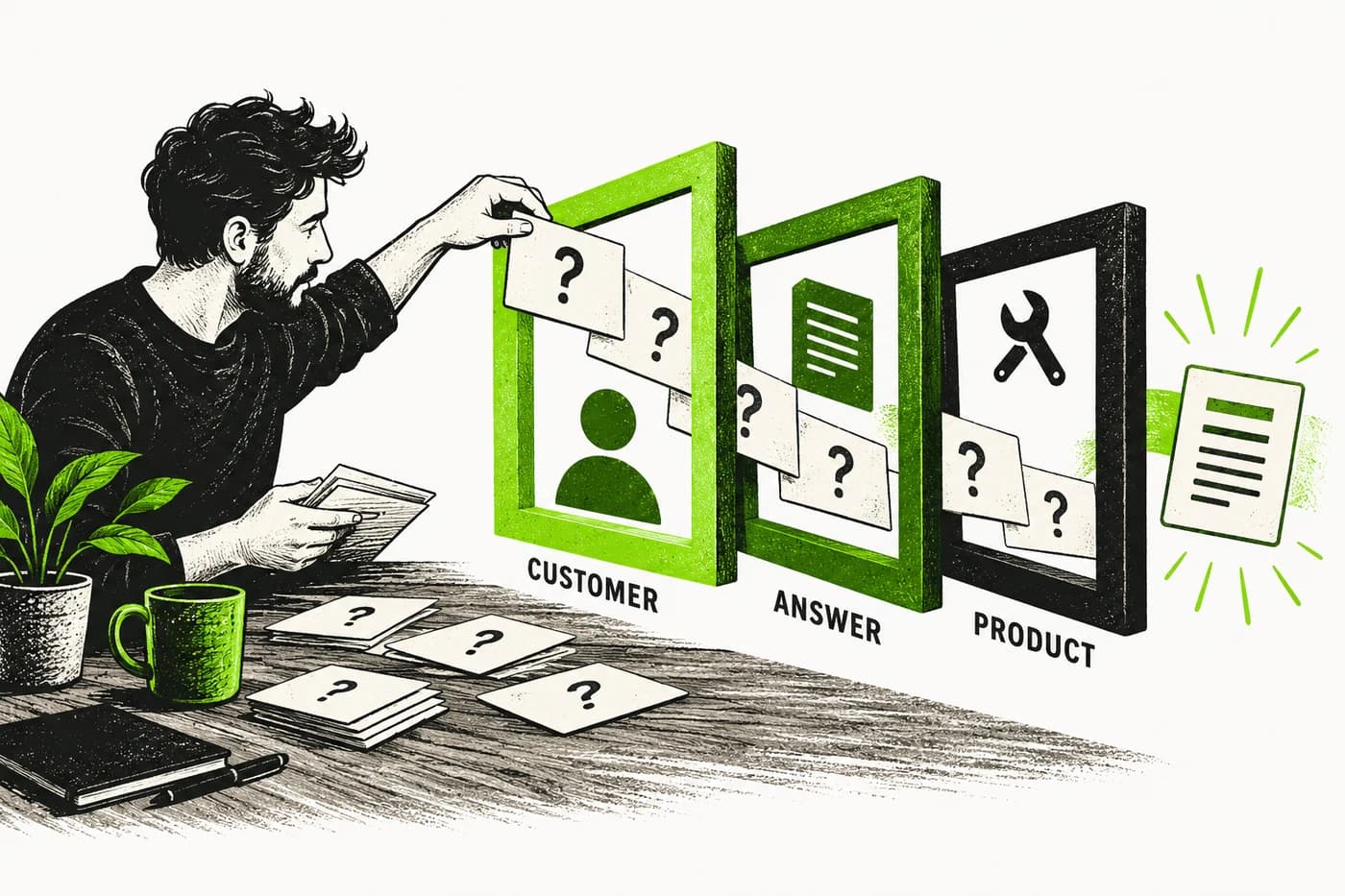
Start with language from support requests, onboarding conversations, sales calls, or questions people ask before trying your product. If you have no customers yet, use direct conversations with intended buyers and clearly label your assumptions.
Record the context as well as the question. “How do I publish a blog?” is broad. “I have shipped a SaaS site and need to add a blog without maintaining another frontend” identifies a practical constraint.
Then ask what the reader needs before software becomes relevant. They may need a decision guide, a manual template, a migration checklist, or an explanation of a technical limitation.
Use a product relevance test
For each candidate topic, answer three questions:
- Can the intended customer encounter this problem?
- Can the article teach a useful action or decision?
- Can your product contribute without forcing an unrelated pitch?
A topic that passes only the first question may still be useful for awareness. It should have a reason to take priority over questions closer to product evaluation or use.
An agency's original framework can provide perspective here. Grow and Convert describes a SaaS content strategy focused on customer pain and product signups, including comparison and use-case topics. Treat that as a strategic approach to evaluate against your own situation, rather than a rule that every educational article must sell immediately.
Write a positioning sentence
Try: “We help [customer] complete [task] while dealing with [constraint].”
For Blogizi, a relevant version is: “We help founders publish a product blog on their own domain while avoiding the work of maintaining a blog frontend.”
2. Build a topic shortlist around decisions and tasks
Keyword tools help estimate demand and reveal related questions. They do not decide whether the audience is suitable for your business.
Start with customer questions, then inspect the search results for the matching queries. Note the dominant page formats, who the pages serve, and what the reader expects to receive.
A query returning software listings may need a comparison. A template query needs a usable template. A task query may need a walkthrough with prerequisites and a clear finishing point.
Cover three useful kinds of questions
| Question type | Example | What the article must deliver |
|---|---|---|
| Evaluation | Should I build a blog or use a hosted platform? | Fair trade-offs, constraints, and reasons to choose either approach |
| Practical task | How do I prepare a content brief for an AI writer? | A usable brief and enough explanation to adapt it |
| Supporting education | What makes a blog post discoverable? | Accurate foundations and links to the next practical step |
Use the categories to cover related needs; readers can enter the cluster at any point.
Avoid treating supporting terms as separate articles automatically. Several queries may represent the same task. One strong page can answer closely related questions without creating a new URL for each variation.
Choose what to write first
Use a simple editorial order:
- First: a recurring customer problem with a clear product connection and evidence you can provide.
- Next: a related decision or task that strengthens the same topic cluster.
- Later: useful adjacent education that requires more research or has a less direct customer connection.
Within each group, consider demand, visible competition, production effort, and existing coverage. A small topic with a relevant reader can deserve attention before a larger, broader query.
A low keyword difficulty score is a starting signal. Inspect the actual pages you would compete with and decide whether you can contribute something useful. Do not turn a provider's estimate into a ranking promise.
Before approving a new URL, check published posts, drafts, and product pages for the same intent. Improve an existing answer when that better serves the reader.
3. Connect articles into a useful topic cluster
A cluster is a group of pages that help the same audience complete related tasks. Its value comes from the explanations and navigation between them.
You do not need to start by producing a giant pillar article. You can begin with the most useful task, then add supporting pages as gaps become clear.
Worked example: Blogizi's publishing workflow
Consider a founder who wants to turn product knowledge into useful blog posts. Blogizi already has published articles serving several parts of that task:
| Reader question | Published article | Job in the cluster |
|---|---|---|
| Should I maintain a WordPress blog or use a hosted publishing workflow? | WordPress vs Blogizi | Helps evaluate publishing flexibility, maintenance, and workflow fit |
| How do I specify what the article should accomplish? | SEO content brief template | Provides a copyable planning artifact and a completed example |
| How do I turn repo context into a reviewed draft? | AI agent blog publishing | Explains the production and publishing workflow |
| What should I check before the article goes live? | Technical SEO checklist | Covers the technical foundations of findability and presentation |
The comparison adds a buying decision to the practical resources. A founder who needs WordPress's plugin ecosystem has a reason to choose it. A founder seeking a hosted Markdown workflow can inspect Blogizi's product and try preparing a draft. The next action follows from the constraint the reader has identified.
For that evaluation page, a proposed contextual CTA is: “Want to publish from Markdown without maintaining the blog frontend? Explore Blogizi and prepare your first draft.” Place it after the workflow trade-offs, where a reader can judge whether it fits. This is a placement recommendation, not a claim about the comparison's current CTA or conversion results.
Make the links earn their place
Place internal links in the paragraphs where they resolve a question. Choose anchor text that describes the destination, and verify that the page is published and relevant.
Avoid adding a list of loosely related posts just to increase link count. Also avoid producing several pages that promise essentially the same answer.
For an existing blog, the first improvement may be connecting useful pages you already have. That can be a more manageable task than commissioning an entirely new cluster.
4. Make the article useful before adding the product
A product mention works best when it explains a relevant option or demonstrates a step the reader is already trying to complete.
Give the reader enough information to understand the task without requiring a signup just to discover the answer. Where your product removes a constraint, show the specific capability and its limits.
For example, a brief can be written in a plain Markdown file. Blogizi becomes relevant when the writer wants to save the completed article as a draft and publish it through a hosted workflow. The product does not need to appear in every field explanation.
Choose an original contribution
Before drafting, identify one concrete item you will add:
- A filled template that resolves the important decisions.
- A demonstration you actually checked.
- A comparison that explains who should choose each option.
- A troubleshooting path that distinguishes likely causes.
- An example using verified product behavior.
Google's people-first content guidance asks creators to consider whether content adds original value and helps readers achieve their goals. Use that as an editorial check, not a checklist of phrases to include.
Match the CTA to the reader's next decision
| Article context | Useful next step | Weak mismatch |
|---|---|---|
| Manual template | Copy it, then explore a product workflow if relevant | Interrupt the template with a generic sales pitch |
| Setup tutorial | Complete the setup or try the demonstrated workflow | Send readers to an unrelated feature page |
| Product comparison | Inspect the option that fits the stated constraints | Claim your product is best for everyone |
| Troubleshooting guide | Check the identified cause and follow the appropriate fix | Promise software will fix every cause |
Make the destination and expected action clear. A button click indicates interest; it is not proof that the reader completed signup or received value.
5. Measure discovery, product interest, and customer progress separately
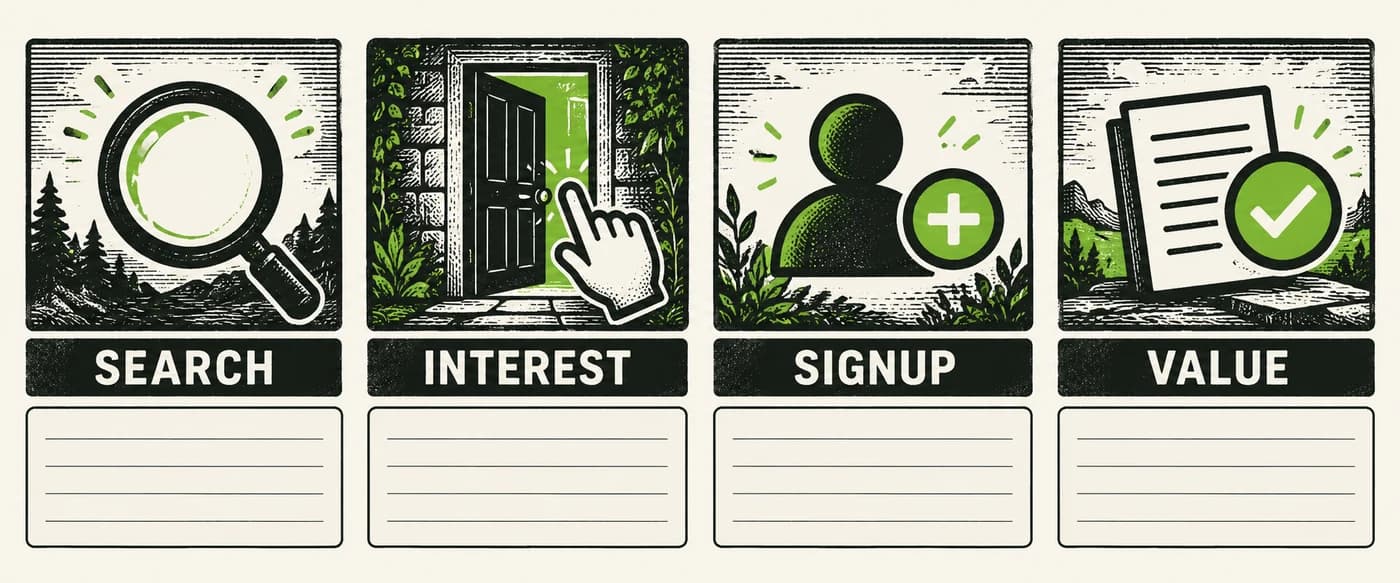
A useful measurement plan answers different questions at different stages. It does not collapse all activity into “the blog is working.”
Choose definitions before comparing pages. Keep the event names, reporting period, and attribution method consistent enough that you can explain what changed.
Discovery: are relevant people finding the page?
Google Search Console's Performance report provides clicks, impressions, CTR, and average position, with query and page dimensions.
Use it to ask which searches bring visibility and whether those searches fit the intended reader. A page can gain impressions for an adjacent topic that does not support your product.
Search Console describes search performance. It does not establish whether someone created an account or became a customer. Use product or analytics instrumentation for those questions.
If you already have relevant visibility, inspect whether an existing page deserves an update before choosing a new topic. Our striking-distance keyword guide explains that opportunity in more detail.
Product interest: what do readers try next?
Measure a meaningful next action, such as selecting a relevant product workflow or starting a trial signup flow. Define the action precisely enough that it can be distinguished from ordinary navigation.
A click on “Start trial” is one action. Successful account creation is another. Test both rather than treating the first as a substitute for the second.
In GA4, Google's recommended events include sign_up for account creation and generate_lead for submitting a form or request. Recommended events require implementation; they are not all sent automatically.
Select the event that reflects the actual action, and check that it fires at the correct point. Do not name an event sign_up when it only measures opening the signup page.
Customer progress: did the signup lead to product value?
Define a meaningful activation step for your product. For a reporting product, it might be completing a first report; for a publishing product, it might be creating a first usable draft.
These are example definitions. Choose an action that fits your product and can be measured reliably.
GA4 allows important collected actions to be marked as key events. Keep the distinction between the action you record and the business interpretation you attach to it.
Filled example: connect an article to signup and activation
Here is a proposed tracking design for a publishing product. It shows what to implement; it does not describe Blogizi's current analytics setup or observed results.
Use the published content-brief article as the source, and choose a narrow attribution rule: credit the most recent article CTA clicked in the same session before confirmed signup. Then check whether that account saves its first draft within seven days. The seven-day window is an example reporting choice, not an activation benchmark.
| Action | Event and context | Trigger |
|---|---|---|
| Product interest | Custom event blog_cta_click; source_article=seo-content-brief-template; cta_id=inline_start_trial | The reader selects that article's trial CTA |
| Completed signup | Recommended event sign_up with the retained source_article value | The application confirms that a new account was created |
| First value milestone | Custom event first_draft_saved with the account's signup article context | That account successfully saves its first draft |
Your implementation must retain the article context during the signup journey and attach it to the new account for the internal report. A parameter on the click event does not automatically carry into later events. Keep the signup's assigned article fixed so a later visit does not rewrite that historical association.
For GA4 reports, Google's event parameter documentation explains sending additional context and registering custom parameters as dimensions or metrics for reporting. If marketing and signup use different domains, also check cross-domain measurement; that connects the browsing journey, while your application still needs to pass the custom article context.
Test one complete journey before relying on the report: open the article, select its CTA, finish signup, and save a draft. Confirm each event occurs at its intended point and retains the expected article value. Reloading the confirmation page should not count another newly created account.
Review two account-level counts for each credited article: unique confirmed signups, then how many of those accounts saved a first draft within the chosen window. Label the report “same-session article CTA signups,” rather than calling it all blog-generated revenue. Return visits without a retained association remain unattributed under this rule; record them separately instead of guessing.
Avoid false certainty from small samples
A page with one signup does not establish a reliable conversion rate advantage over another page. Look at the size and quality of the audience, the observation period, and how the signup was attributed.
Readers may return through a different channel or use another device. Describe observed associations accurately and avoid claiming that an article caused every signup appearing near it in a report.
Use qualitative evidence too. A prospect who says a tutorial answered an evaluation question provides a useful clue, even when the analytics trail is incomplete.
6. Choose a production routine you can maintain
Set the pace from the work involved. A researched comparison, a tested integration tutorial, and a short product update require different effort.
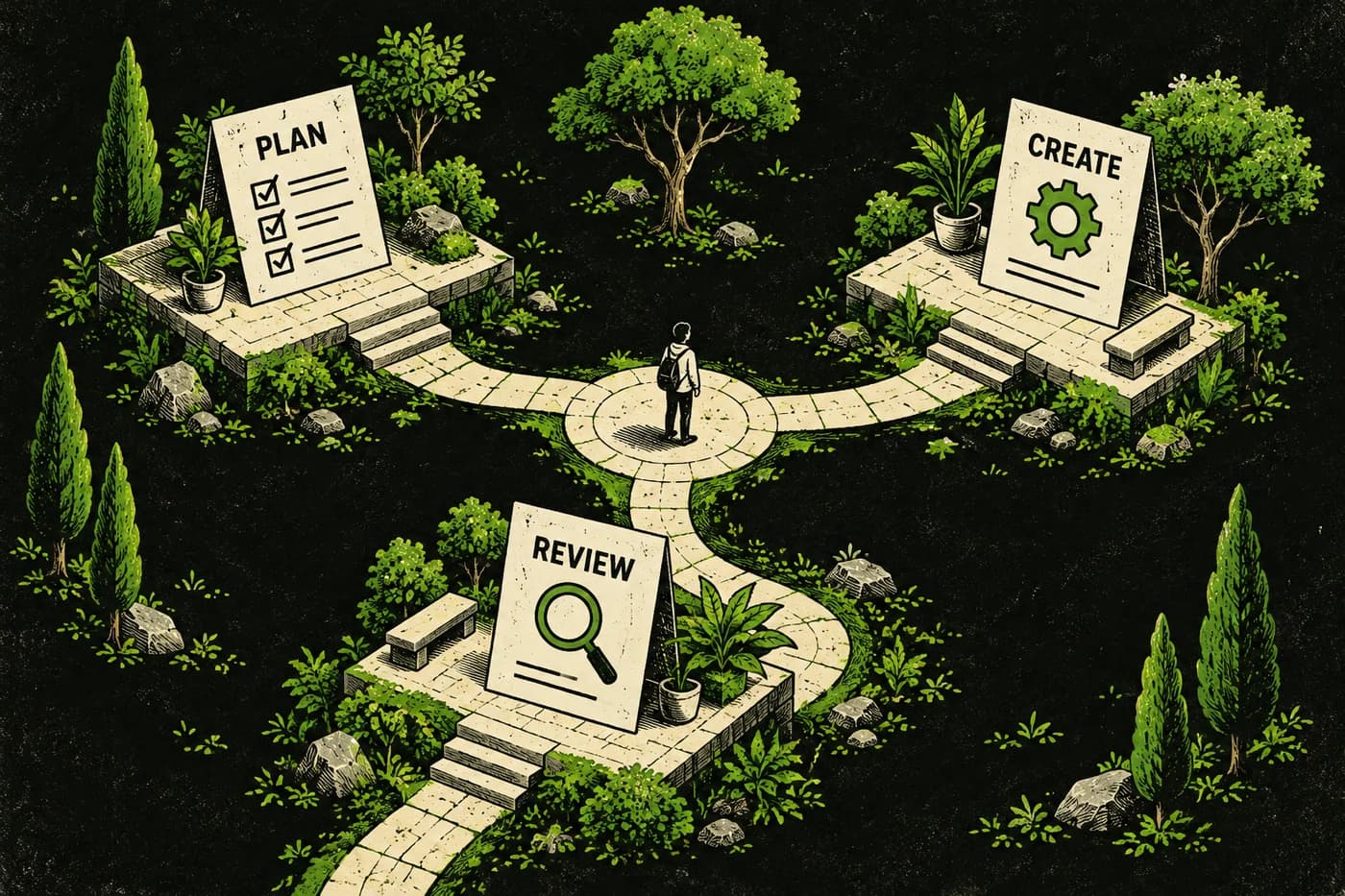
For an initial cycle, take one article through research, drafting, review, distribution, and follow-up before expanding the backlog. This exposes the actual bottleneck.
Example: one article using four hours a week
Assume a solo founder can allocate four hours per week and is writing about a familiar product workflow with accessible evidence. Use a two-week cycle for one article:
| Work session | Time budget | Concrete output |
|---|---|---|
| Week 1: select and research | 90 minutes | One reader question, existing-content check, search-intent notes, and supporting sources |
| Week 1: brief and outline | 60 minutes | Completed brief with product facts, example, CTA, and acceptance criteria |
| Week 1: start the draft | 90 minutes | Introduction, main explanation, and a worked example |
| Week 2: finish and verify | 120 minutes | Complete draft with checked claims, links, and useful visuals |
| Week 2: review the journey | 60 minutes | Edited article, checked metadata, and a tested CTA destination and tracking path |
| Week 2: distribute and record | 60 minutes | One adapted distribution message and a dated review note |
The eight hours are an illustrative capacity budget. A technical tutorial needing fresh testing or an unfamiliar comparison can require a longer cycle.
Set stop rules before starting: if a central claim lacks evidence, resolve it or narrow the article; if the example cannot be completed, reduce scope; if review exceeds the available session, move publication rather than skipping the checks. Keep the next article in the backlog until this one has a complete draft and a clear review owner.
If a writer or agent helps, hand it the approved brief and source material. Reserve your review time for product accuracy, the worked example, and the reader's next step.
Distribute the answer where it is useful
Choose one relevant distribution channel to start: an existing customer email, a product community that permits sharing, a response to a recurring question, or a founder update.
Adapt the introduction to that audience and explain the useful takeaway. Follow the channel's rules and avoid posting the same promotional message everywhere.
The goal is to make a relevant resource available at the moment it helps. Distribution can also surface questions worth answering in the next revision.
7. Use the results to choose the next action
Review the page against its original job. Do not start by asking whether it has reached an arbitrary traffic target.
| Observed signal | Check next | Possible action |
|---|---|---|
| Little or no search visibility | Indexing, scope, competition, and whether enough observation time has passed | Fix a technical problem or revisit the topic; avoid assuming the prose is the cause |
| Relevant impressions but few clicks | Query fit, title promise, and the actual search results | Make the page's purpose clearer |
| Readers arrive but rarely take a relevant next step | Reader intent, explanation, CTA visibility, and destination | Improve the connection between the answer and the next action |
| Signups occur but users do not reach value | Product expectations and onboarding | Fix the handoff or product experience |
| An established article loses relevant traffic | Changed intent, outdated information, technical issues, and competition | Diagnose before refreshing |
A new article may need time and more evidence before you can make a confident decision. Record what you changed and the date, so later comparisons have context.
For declining posts, our content decay guide provides a focused diagnosis workflow. Keep maintenance in the plan alongside new production.
Start with one customer problem and one complete article
Choose a question your intended customer needs answered. Check whether you already cover it, decide what original help you can provide, and define the reader's next step.
Build a small group of connected resources as the evidence supports it. Keep the measurement plan honest about the difference between finding a page, clicking a CTA, creating an account, and receiving product value.
If blog infrastructure is slowing the work down, Blogizi provides hosted publishing on your own domain, with draft review and technical SEO foundations. Prepare one useful article, save it as a draft, and review the complete reader journey before expanding the queue.