
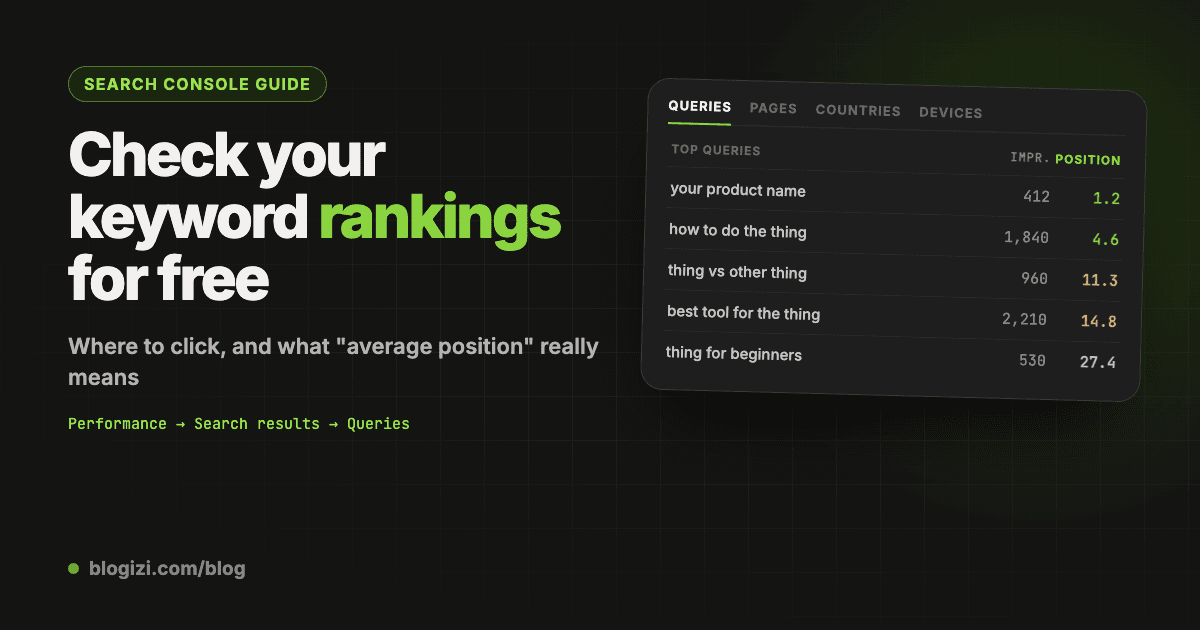
To check your keyword rankings in Google Search Console, open Performance → Search results, turn on Average position, and open the Queries tab. Each row is a search people typed, with the average position your site appeared at. Click a query, then the Pages tab, to see which page ranks for it.
It's free, it's Google's own data, and it covers every query you got an impression for. The catch is that "average position" isn't a live rank. This guide shows the clicks, explains what the number really means, and covers how to track it over time.
TL;DR
- Where: Performance → Search results → Average position on → Queries tab.
- One keyword: add a Query filter, then switch to the Pages tab to see which page ranks.
- One page: add a Page filter, then switch to the Queries tab to see everything it ranks for.
- What the number means: your highest position each time you were shown, averaged over all impressions. It's not what you'd see if you searched right now.
- Over time: use Compare in the date filter. Search Console keeps 16 months of data.
Step by step: see your rankings for every query
1. Open the Performance report
In Google Search Console, pick your property, then go to Performance → Search results in the left menu.
2. Turn on Average position
At the top you'll see four metric boxes: Total clicks, Total impressions, Average CTR and Average position. Click Average position so it's highlighted. Turn on all four if you want the full picture; the table below shows a column for each one you turn on.
3. Set the date range
Click the date filter and pick Last 28 days for a current view. If your site is small, use Last 3 months so there's enough data to mean something.
Leave out the last two or three days if you're comparing short periods. Search Console data arrives with a delay, so the newest days look lower than they really are.
4. Open the Queries tab
Below the chart, the Queries tab lists every search you appeared for, with clicks, impressions, CTR and position. Click the Position column header to sort by it.
That list is your keyword rankings. A query at 3.2 means you were usually near the top of page one. A query at 14.5 means you were mostly on page two.
5. Check one keyword
Click + Add filter → Query, then type the keyword. Choose "Queries containing" to include close variants, or "Exact query" for just that one.
6. See which page ranks for it
With the query filter on, switch to the Pages tab. It shows which URL Google showed for that search. If two pages appear, they're splitting that search between them, and usually both rank worse because of it.
What "average position" really means
Google defines position as the topmost position your site held when it was shown, averaged across all impressions (Google's help page). A few things follow from that:
- It's an average. If you were 3rd for half the searches and 9th for the other half, Search Console shows 6. You may never have been 6th.
- It only counts impressions. If you weren't shown at all, that search doesn't pull the average down. A query can show a great position from just a handful of impressions.
- Your best result counts. If two of your pages appear for one search, at positions 4 and 8, that impression counts as 4.
- It mixes locations and devices. Someone in London on a phone and someone in Texas on a laptop see different results. The average blends them.
So treat it as a trend, not a score. Marie Haynes' team compared it with rank trackers and found it reasonably accurate, usually within one position (her analysis). Small changes, like 7.4 to 7.9, are noise. A move from 18 to 9 over a month is real.
Check rankings for one page
Sometimes you want the opposite view: everything a single post ranks for.
- In the Performance report, click + Add filter → Page.
- Paste the page's URL and choose "Exact URL".
- Open the Queries tab.
You'll often find the page ranks for searches you never targeted. Those are good hints for a new section or a better title.
Track rankings over time
Click the date filter, open the Compare tab, and pick two periods, for example the last 28 days against the 28 days before. The Queries table then shows both positions side by side, plus the difference.
Search Console keeps 16 months of data, so you can compare this month with the same month last year. That avoids mistaking a seasonal dip for a ranking drop.
If you change a page, note the date. Then compare four weeks before and after. Ranking changes from new content usually take two to six weeks to show.
Use your rankings for keyword research
Your ranking data is also a list of what to write or fix next. The most useful part is queries at positions 8 to 20: the bottom of page one and page two. Google already thinks your page is relevant for them, so a better section or title can move them up faster than a new post can rank from nothing.
We wrote the full method, with a formula for sorting them by opportunity, in striking distance keywords.
Search Console vs rank trackers
| Search Console | Rank tracker | |
|---|---|---|
| Price | Free | Paid |
| Where data comes from | Real impressions from real searches | Scheduled checks from set locations |
| Keywords covered | Every query you got impressions for | Only the keywords you add |
| Position | Average over all impressions | A snapshot at one moment, one location |
| Competitors | No | Yes |
| History | 16 months | As long as you've tracked |
A rank tracker here means a paid tool like Ahrefs or Semrush that checks positions on a schedule.
Search Console is better at showing what you actually rank for, including searches you'd never think to track. Rank trackers are better for daily snapshots and watching competitors. Most small sites only need Search Console.
Get your rankings without the clicking
Export. Click Export above the chart to send the table to Google Sheets or a CSV. Sort and filter it there.
The API. The Search Console API returns the same data with any filters you want. It's the way to go if you check rankings for several sites or want them in your own dashboard. Our Search Console API guide shows the requests.
A free report. The free Search Console report connects with read-only access and lists the queries you rank 8 to 20 for, sorted by opportunity. For each one it shows the page that ranks and whether to improve it or write a new post. No card needed.
Your AI agent. If you write with Claude, Codex or Cursor, you can let it read your rankings directly. Connecting Search Console to Claude covers the options. On Blogizi Pro, the same data is built into your blog, so "which queries am I on page two for?" is one message to your agent.
Mistakes to avoid
- Reading position without impressions. Position 2 from 3 impressions tells you almost nothing. Look at queries with at least 20 impressions, or 5 on a small site.
- Trusting the last few days. Data lags, so the right edge of the chart always dips.
- Comparing a short period to a long one. Compare equal ranges, like 28 days to 28 days.
- Expecting to see keywords you don't rank for. Search Console only shows searches where you got at least one impression. For new topics, you need a keyword tool.
- Chasing your brand name. Your own product name will always rank first. Filter it out with a "Queries not containing" filter.
FAQ
Can Google Search Console show keyword rankings? Yes. The Performance report shows the average position for every query your site appeared for. Turn on Average position and open the Queries tab.
Is Search Console ranking data accurate? It's accurate for what it measures: your average position across real impressions. It won't match a manual search, because your results depend on location, device and history. Use it for trends rather than exact positions.
Why does a keyword show position 1 but almost no clicks? Usually because few people saw it (low impressions), or because the results page has an answer box, ads or videos above you that take the clicks.
How often does Search Console update rankings? Daily, with a delay of about two to three days.
Can I see competitors' rankings in Search Console? No. It only shows data for properties you've verified. For competitors you need a paid SEO tool.
How do I track a keyword's ranking every week? Add a Query filter for it and use Compare in the date filter. Or export the Queries table each week, or use the API or an agent to pull it on a schedule.