


Keyword cannibalization is a concern when pages on your site overlap in search intent and appear to undermine the answer you want readers to find. Seeing two URLs for one query is a reason to investigate, not a reason to delete one.
For a small SaaS blog, the important decision is whether the pages do different jobs. A comparison, a setup tutorial, and a troubleshooting guide can share vocabulary while helping readers make different decisions.
Use Google Search Console to identify candidate overlaps, compare the pages themselves, and choose a specific action. Start with the diagnostic below before changing URLs, redirects, or canonical tags.
TL;DR
- Multiple URLs receiving impressions for a query do not, by themselves, establish harmful keyword cannibalization.
- Filter a query, inspect its pages, and compare consistent periods and segments before drawing conclusions.
- Check each page's purpose, indexing, and canonical state as well as its search metrics.
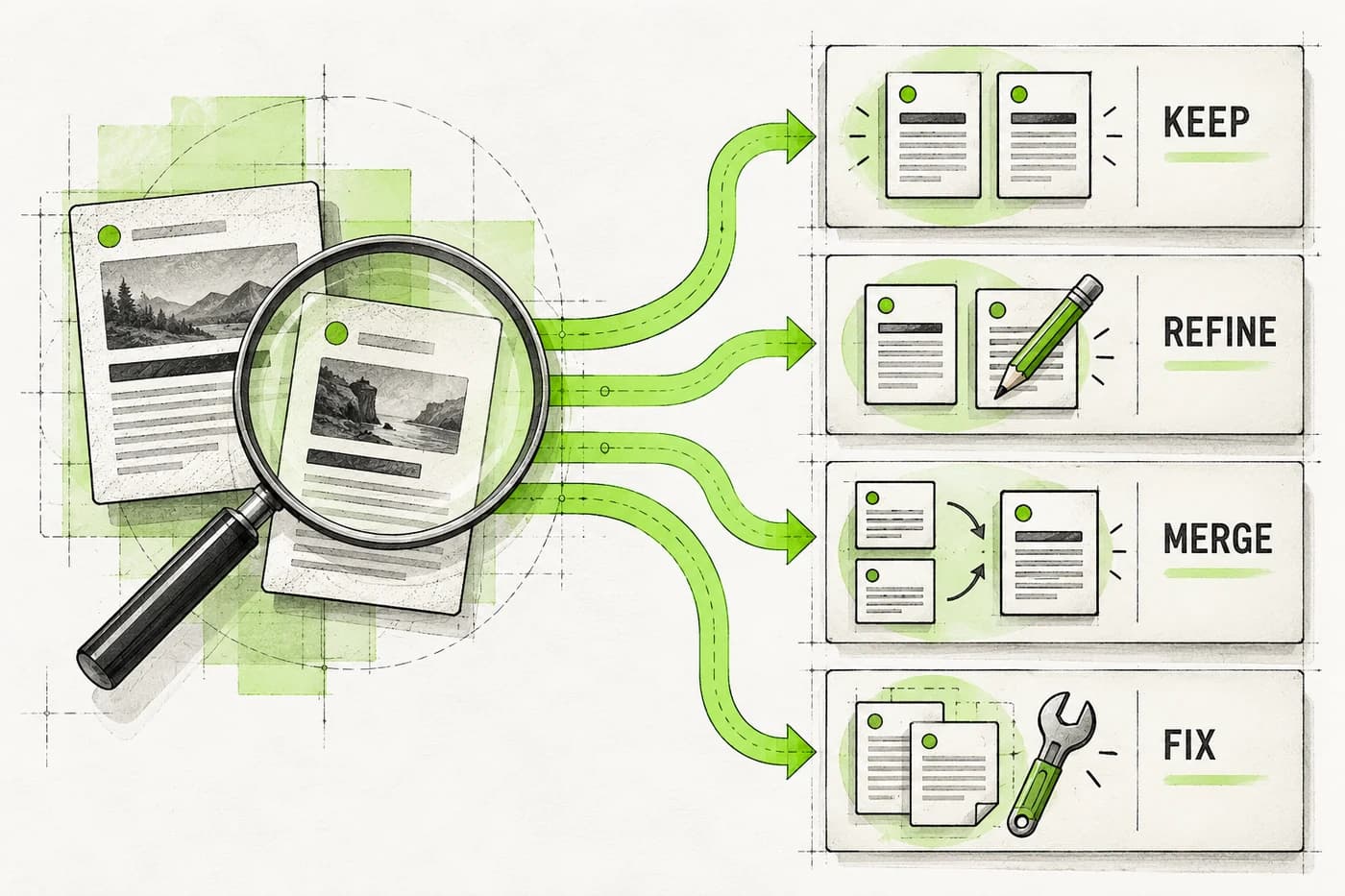
- Keep distinct answers; clarify overlapping scopes; consolidate only when a single page can serve the reader better.
- Record the change, verify the implementation, and evaluate the query and topic group over time.
The quick decision: do these pages need a change?
Use this table after reviewing the actual pages. It helps separate an editorial overlap from a technical duplicate or a harmless shared query.
| What you find | Working interpretation | Next action |
|---|---|---|
| Different reader tasks, useful pages, no clear loss of relevant visibility | Shared topic rather than a confirmed problem | Keep both and make their purposes easy to distinguish |
| Different tasks, but similar titles and introductions obscure the difference | Unclear editorial boundaries | Revise the promises, examples, and contextual links |
| Same task and substantially repeated answers | A candidate for consolidation | Choose a destination and preserve useful material before retiring another URL |
| Duplicate or near-duplicate versions of the same content | Technical duplication | Review canonical or redirect handling |
| One page is not indexed, redirects unexpectedly, or declares the wrong canonical | Technical issue requiring diagnosis | Resolve that issue before interpreting the pages as competitors |
| Very little data or inconsistent filters | Evidence is insufficient | Gather a longer or more comparable observation before a structural change |
A useful investigation ends with a reasoned decision, even when that decision is to keep the pages.
What keyword cannibalization looks like in practice
The term is often used for several different situations: two pages appearing for a query, URLs alternating in visibility, or several articles repeating the same answer.
Those observations need different responses. A query can be broad enough to fit more than one page. A new page can start receiving impressions while an established page continues to serve a related task. A reporting change can also alter the apparent winner without showing that either page damaged the other.
Look for a combination of evidence:
- The pages promise substantially the same outcome to the same reader.
- The URL receiving visibility is poorly matched to the task you intend it to serve.
- Relevant query or topic performance has weakened under comparable conditions.
- The content and technical review support a specific explanation for that pattern.
These are diagnostic clues. Search performance alone cannot show what would have happened if only one page had existed.
Shared keywords can be appropriate
Imagine a product has an evaluation page, an installation tutorial, and an error-reference page. All mention the product and its integration. Their value comes from helping different readers choose, implement, or repair a workflow.
Removing those distinctions to create one giant article may make the result harder to use. Start with the reader's task, then use the search evidence to decide whether the current organization supports it.
The same principle applies to a blog series. A broad guide can introduce a subject while a focused page answers a specific question in depth.
Step 1: find candidate overlaps in Search Console
Choose one query you care about and make the report reproducible. For a US-focused article, a country filter may help; use the same segment throughout the comparison.
- Open Performance → Search results in the correct property.
- Choose a search type and a period with complete days.
- Select a query from the Queries table or add an exact query filter.
- Open the Pages tab to see the URLs receiving data for that query.
- Compare the chosen period with an equally sized earlier period.
- Keep country and device filters consistent; record them with your notes.
- Export the relevant view if you need to compare the candidates outside the interface.
Google documents the available filtering and comparison controls. Keep the query filter in place when switching to Pages.
Start with one exact query. Expand to a small group of closely related queries once you understand the page pair. A broad “contains” filter can mix unrelated questions and hide important distinctions.
For help interpreting the metrics, our guide to checking keyword rankings in Search Console explains the basic workflow and what average position represents.
Compare a pattern, not one day's winner
Check whether the apparent URL change repeats over several observations. One quiet day or a small change in impressions is weak evidence for a merge.
Reverse the lookup: see the queries for each page
Before retiring a URL, inspect its other searches:
- Remove the original query filter from the report.
- Add an exact page filter for the first candidate URL.
- Open Queries to review the searches associated with that page.
- Compare the same date periods, keeping country, device, and search type unchanged.
- Replace the page filter with the second candidate URL and repeat.
Record any distinct tasks these queries reveal, then check whether the page answers them usefully. Do not leave the original query filter active: that would restrict the lookup to the phrase you already selected. The report's omissions still apply, so combine this check with the content review.
Write down the initial hypothesis: “These pages both promise a weekly report template, and the newer one may duplicate the established answer.” This is more useful than labeling every multi-URL query a problem.

Step 2: account for the report's limitations
The Pages table is evidence about reported search performance, not a complete record of every result a person saw.
Google's dimensions and data-grouping documentation explains that most performance data is credited to canonical URLs. Some queries are omitted for privacy, and the interface does not expose every stored row.
A missing query or page row therefore needs context. Do not assume it proves there was no visibility.
Keep comparisons at a consistent aggregation level. Google's explanation of property and page aggregation shows why property totals and sums of page rows can differ. Use the reported property view for the query's overall trend; use page rows to investigate individual URLs.
The normal daily reporting dates use Pacific Time, while the 24-hour view uses local time. Note the reporting window when comparing the data with your publishing or deployment log.
These checks help you avoid mistaking a change in grouping, date boundaries, or query mix for a content problem.
Step 3: compare the pages' actual jobs
Open both pages and describe the task each one helps a reader complete. Do this before choosing a preferred URL.
| Review question | What to inspect |
|---|---|
| Who is it for? | Role, experience level, product context, and constraints |
| What does it promise? | Title, main heading, introduction, and main answer |
| What does it deliver? | Examples, steps, templates, comparisons, and prerequisites |
| What is unique? | Useful material that would be lost if the page disappeared |
| Where does it lead? | Contextual links and the next reader action |
| What else uses the URL? | Internal links, external links where known, campaigns, documentation, and bookmarked workflows |
Two similar titles can conceal different useful answers. Different titles can also conceal almost identical articles.
Define boundaries before merging
For example, “client reporting template” and “how to automate client reporting” may belong on separate pages. One supplies a document; the other explains a repeatable workflow with prerequisites.
Clarify the first page's promise and link to the second when the reader needs automation. Do not strip useful terminology from either page merely because it appears in both.
A concrete page boundary might be: “This article provides the manual template; the companion tutorial covers automated delivery and setup.”
For an editorial revision, use a content brief with a defined scope so the distinction survives the next rewrite.
Step 4: check indexing and canonical state
A technical problem can resemble an editorial overlap. Inspect both URLs before making the content decision.
Use Google's URL Inspection tool to review the indexed state and Google-selected canonical. The indexed information describes Google's stored version; a live test checks the current page's accessibility and indexability but cannot predict its selected canonical.
Record any mismatch between the intended page, the declared canonical, and Google's selected version. Also check the live URL's response and destination.
If an article is excluded or redirects unexpectedly, investigate that condition first. Our guide to posts that are not indexed covers common statuses without assuming the cause is competing content.
Avoid changing several technical signals at once while also rewriting both pages. A smaller, documented intervention is easier to inspect and evaluate.
Worked example: investigate a suspected overlap
The following is a hypothetical audit. The paths and figures are invented solely to demonstrate the decision; they are not Blogizi analytics or a customer result.
A small reporting SaaS has two articles:
- Page A:
/blog/weekly-client-report-template - Page B:
/blog/client-report-example
Both currently promise a copyable weekly report template. Page B has a useful filled example, but repeats much of Page A's structure and explanation.
The founder filters the exact query “weekly client report template” using the same country, device, search type, and two complete 28-day periods.
| Recorded measure | Earlier period | Later period |
|---|---|---|
| Property-level impressions for the filtered query | 800 | 1,000 |
| Property-level clicks for the filtered query | 40 | 25 |
| Property-level CTR for the filtered query | 5% | 2.5% |
| Page A average position in its page view | 9 | 13 |
| Page B average position in its page view | 14 | 11 |
The property-level click figures are separate reported observations, not totals reconstructed from page rows. Average positions summarize each period; they do not show that the pages appeared together on every search.
What the evidence supports
The filtered query received more reported impressions but fewer clicks, and its CTR fell from 5% to 2.5%. Page B's average position improved from 14 to 11; that alone does not establish that Page B received more impressions or a larger share of clicks.
The pattern warrants review of the pages, their search-result presentation, and competing results. It does not prove that Page B caused the click decline or that search demand changed. The content and technical findings below determine which intervention is worth testing.
The founder completes the investigation:
| Check | Hypothetical finding | Consequence |
|---|---|---|
| Reader task | Both pages supply the same weekly report template | Little reason to preserve separate promises |
| Unique material | Page B adds one useful filled report | Preserve it in the destination |
| Technical state | Both are indexed with intended canonicals; neither redirects | No obvious technical duplicate explains the pattern |
| Other query needs | Page B has no distinct task identified in the reviewed query set or content | Consolidation is plausible, subject to the review's coverage |
| URL dependencies | Existing internal links and known external references are recorded | Plan their destination before retiring a URL |
| Alternative explanations | Demand and competing results may also have changed | Treat consolidation as a hypothesis, not a proven ranking fix |
The decision and implementation brief
Keep Page A as the template destination because its purpose and existing references fit the intended resource. Move the filled example into it and remove repetition. Retire Page B only after the revised destination answers the task fully.
The implementation brief is concrete:
| Field | Completed decision for this hypothetical case |
|---|---|
| Retained URL | /blog/weekly-client-report-template |
| Material to preserve | Page B's filled report, incorporated into the template's explanation |
| URL mapping | Permanently redirect /blog/client-report-example to the retained URL after the revised page is ready |
| Links | Update known internal references to Page B so they point directly to Page A |
| Immediate verification | Old URL returns 301 or 308 to Page A; Page A returns 200, contains the combined answer, and retains its intended live indexing and canonical signals |
| Follow-up | Compare a complete 28-day post-change window with the baseline using the same query and segments; inspect implementation problems immediately |
| Saved evidence | Copies of both original pages, report exports, and the implementation date |
The reporting window is a choice for this example; a low-volume site may need more observation before evaluating performance.
A different finding could lead to a different decision. If Page B taught how to explain report results to a client, preserving it with a clearer scope could be the better choice.

Choose the right kind of fix
Keep and clarify distinct pages
When the pages do different jobs, revise the parts that blur the distinction: title, introduction, examples, headings, and next step.
Link between the resources where a reader naturally needs the companion task. Update ambiguous anchors so they describe the destination.
Then observe whether the intended queries and reader actions become better aligned. Keep an eye on other useful query groups; improving one phrase should not erase a page's broader purpose.
Consolidate repeated answers and retire an old URL
When one destination can serve the shared task better, combine the useful material there before retiring a page.
Choose the destination based on intent, content quality, technical suitability, and existing references. Do not choose solely because one page won the latest reporting period.
For a permanent move, Google's redirect guidance recommends a permanent server-side redirect where possible; 301 and 308 indicate a permanent move. Test that the old URL reaches the intended destination and that the destination serves the complete answer.
Update internal links to the retained URL and check your sitemap. Save the mapping and implementation date alongside the editorial change.
The exact redirect setup depends on your hosting environment. Preparing a content merge is separate from verifying that the URL behavior is correct.
Handle technical duplicates with canonical signals
Canonicalization applies to duplicate or very similar content. Google's canonical guidance describes signals for a preferred URL; Google still makes its own selection.
Use a redirect when permanently retiring a duplicate. A canonical annotation may fit versions that need to remain accessible. Keep the declared preference, internal links, and sitemap consistent.
A canonical pointing from a distinct tutorial to a comparison page does not make those reader tasks equivalent. Nor should noindex be the default method for consolidating signals: Google's guidance specifically discourages using it to select a canonical within a site.
Decide which content should exist before choosing the technical mechanism.
Verify the change and measure the outcome
Check the implementation immediately, then evaluate search performance over comparable observations. These are different review tasks.
Implementation checklist
- The retained page contains the promised answer and preserved useful material.
- The retired URL returns the expected permanent redirect to the retained URL.
- The retained page returns a successful response and preserves its intended live indexing and canonical signals.
- Internal links lead to the intended pages.
- Sitemap entries and canonical preferences agree with the chosen structure.
- The change log includes the date, scope, and checks performed.
Test the actual URL path against explicit pass/fail criteria:
| Check | Expected result for this permanent consolidation |
|---|---|
| Retired URL response | HTTP 301 or 308 with the intended destination in the Location header |
| Destination | The retained article, not the homepage or another unrelated page |
| Final response | HTTP 200 with the complete retained content |
| Redirect path | No loop; preferably a direct redirect rather than an avoidable chain |
| Live indexing signals | The destination is crawlable, has no unintended noindex directive, and declares the intended canonical |
A successful live response verifies the implementation you serve. After Google recrawls and processes the change, inspect the indexed result again to check its selected canonical. A live test cannot establish that Google has already adopted the new structure.
Measurement checklist
Use the same query, related topic group, country, device, and search type as the baseline. Compare complete periods, and keep the reporting time zone consistent.
Review the retained page, any still-active companion pages, and the reported property-level query trend. Look for improved alignment with the reader task alongside meaningful clicks and product outcomes, where you have reliable measurement.
Do not stop at “the preferred URL is now visible.” A cleaner structure that loses a distinct useful answer deserves another review.
If results weaken, check the technical implementation, changed content, search intent, demand, and competitors before repeating the operation. Our content decay workflow helps structure that diagnosis.
There is no universal number of days after which a consolidation must improve rankings. Keep the change log and allow enough complete data for a useful comparison.
Prevent repeated overlap in the publishing workflow
Before briefing a new article, add it to a small intent map. Record the reader question, intended outcome, existing destination, and the reason a new URL is needed.
For a reporting SaaS, that map might separate a manual template, an automation tutorial, and a guide to interpreting the finished report. Shared terminology is expected; repeated promises deserve review.
Ask a writer or agent to inspect the existing inventory and identify the role of the proposed page before drafting. Include the published articles it should link to and the adjacent tasks it should leave to those articles.
If an agent helps analyze Search Console data, ask it to show the filters, periods, URLs, and limits behind its recommendation. Our Google Search Console MCP guide explains ways to connect that data to an agent workflow.
An automated overlap flag can create an investigation shortlist. Keep the editorial decision and any redirect or publication action separate from that initial flag.
Start with one page pair
Choose one query, record the filters, and compare the candidate pages' actual promises. Check technical state before deciding whether to keep, distinguish, consolidate, or correct duplicate handling.
Write down the evidence and the proposed action so another person can review the decision. If the evidence is thin, the next step can be a better observation rather than a destructive change.
Blogizi supports a workflow that connects Search Console insights with drafting and publishing. Use the investigation to prepare a focused revision brief, then review the content and technical plan before changing a published page.